Dashboard
The first page of a mod: what’s in it and what’s wrong with it.
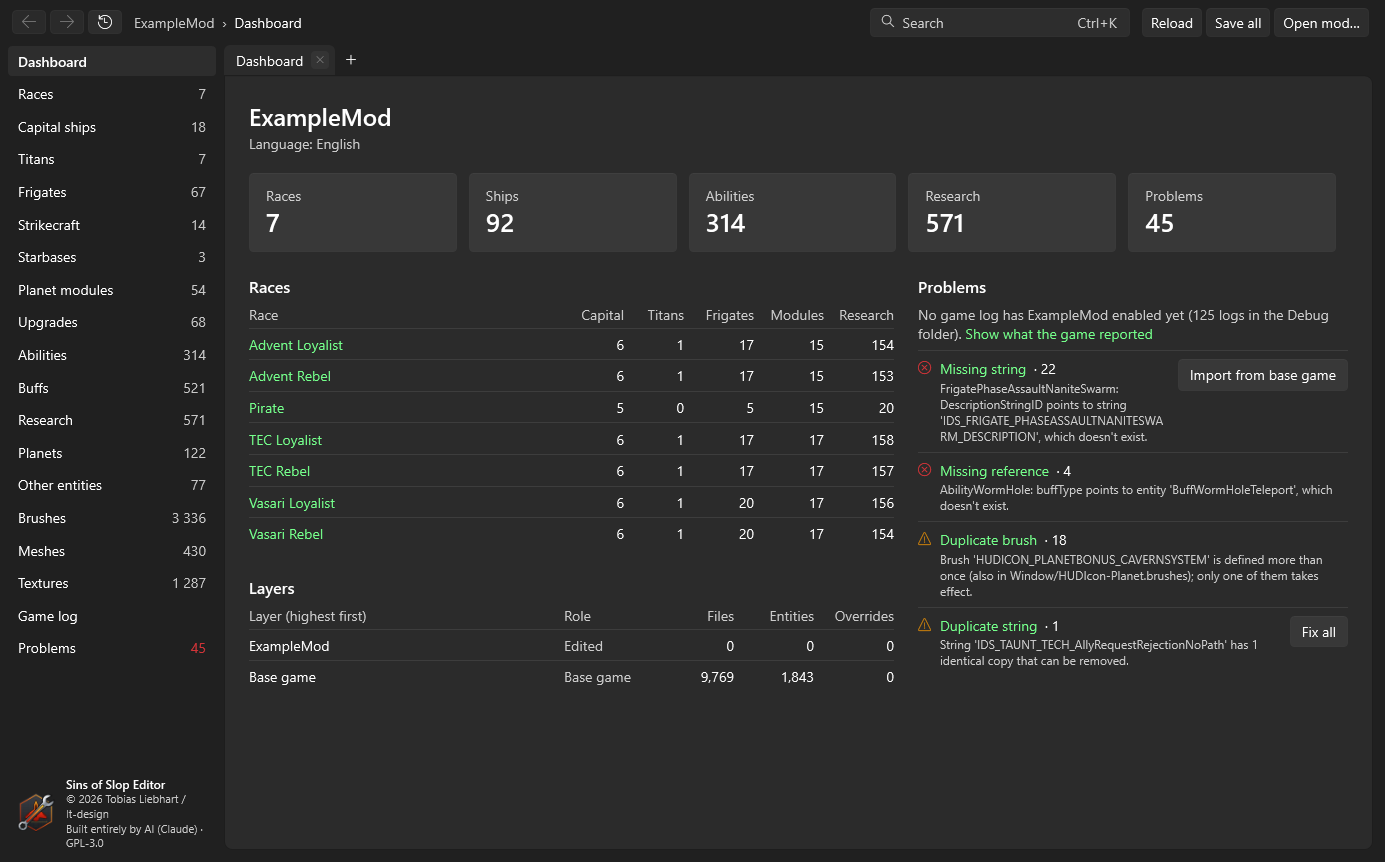
Counts
The cards at the top count races, ships, abilities, research subjects and problems. Click a card to open its list.
Races
One row per race the game loads, with how many capital ships, titans, frigates, planet modules and research subjects the race has on its build and research lists. Click a race to open it; from the race page you get to its research tree.
Layers
The base game, each base mod and your mod, highest first: how many files each layer has, how many entities, and how many files it overrides from below.
Problems
The problems of the mod, grouped by kind, the most severe first: errors (red), warnings (yellow) and notes. Each group shows how many there are and an example; click the title for the full list on the problems page.
Some kinds can be fixed in one go – the button next to them says what it does and asks before changing anything:
| Problem | Button | What it does |
|---|---|---|
| Encoding or line endings | Fix all | Rewrites the files with the game’s encoding and Windows line endings; their content doesn’t change. |
| Missing string | Import from base game | Copies strings your entities use but your string table lacks from the base game or a base mod (in the current language). |
| Duplicate string | Fix all | Removes entries that repeat an ID with the same text; variants with different text stay. |
| String defined in several places | Group them | Moves the later entries of each ID right behind its first one, so variants such as taunts are together. Nothing is added or removed. |
| Value of the wrong kind | Fix obvious ones | Quoted "TRUE"/"FALSE" lose their quotes, decimal commas (0,5) become points. Entities with unsaved changes are skipped. |
The problem group No game log has … enabled yet links to the game log once the game has written one for your mod.