Research trees
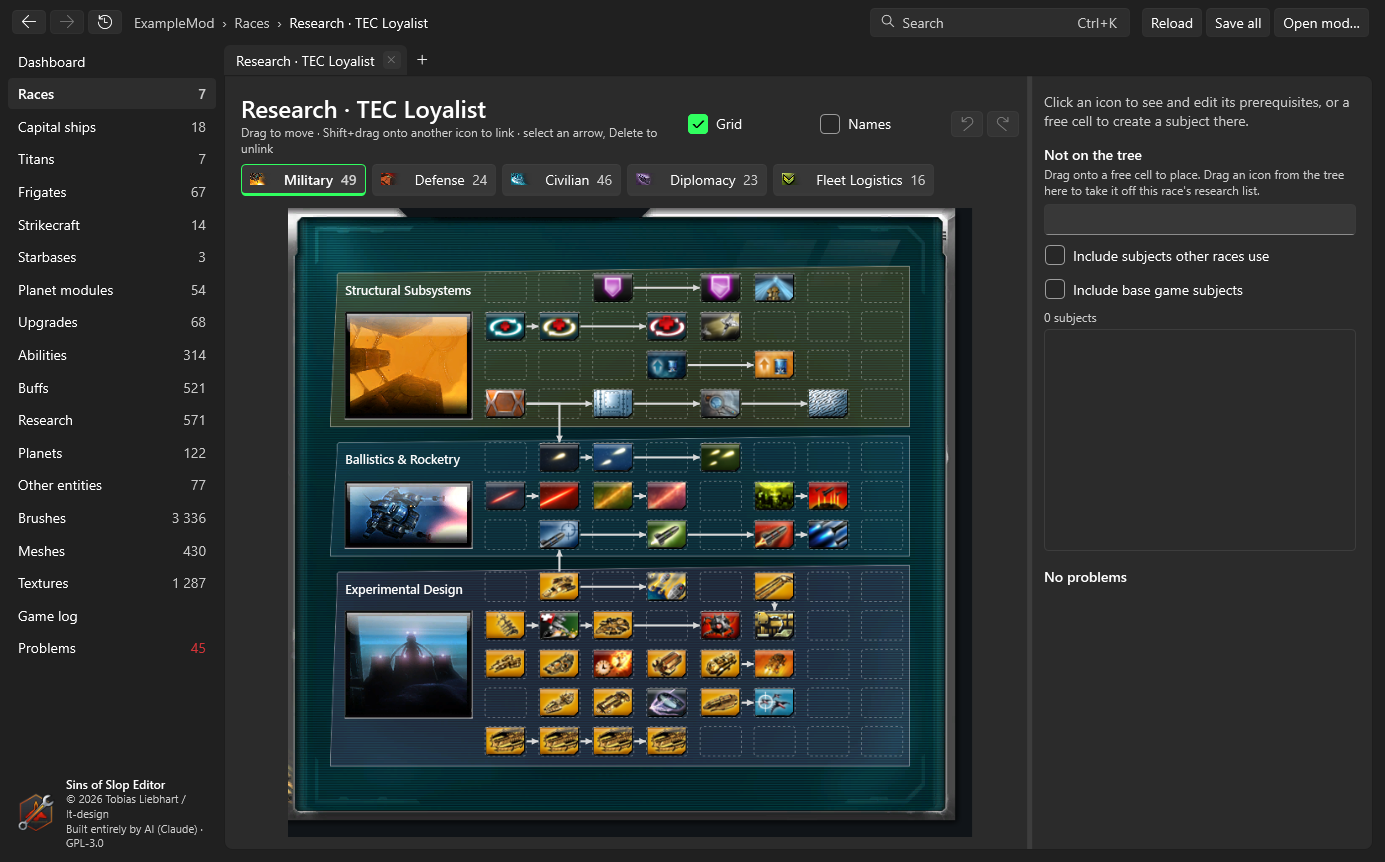
Open research tree on a race page shows the race’s research screen the way the game draws it – its blocks, backdrops, pictures, buttons and arrows, from the race’s own researchScreenData and brushes.
Reading the tree
- Field tabs at the top: Combat, Defense, Non-combat, Diplomacy, Fleet (and Artifacts if the race has any), with the number of subjects and a warning sign if one of them has a problem.
- Arrows run from a prerequisite to the subjects that need it, in the shapes the game draws. A prerequisite on another tab shows as a small badge with that tab’s icon (click it to go there); a ? badge means the prerequisite has no place on the research screen.
- Grid shows the free cells of every block as dashed boxes; Names shows the subjects’ names under their icons.
Changing it
- Select a subject to see its details on the right: field, block, cell, tier, levels, prerequisites and what it unlocks. Open entity opens it.
- Move: drag a subject onto a free cell. Dropping it on another subject swaps the two.
- Prerequisites: drag a subject onto another with Shift held to make the second require the first, or use Add in the details. Select an arrow and press Delete to remove that prerequisite.
- Not on the tree: the list on the right shows subjects on the race’s research list without a valid place, and subjects no race uses (optionally also those of other races and of the base game). Drag one onto a free cell to place it (and add it to the race’s research list); drag an icon from the tree onto the list to take it off.
- New subject: click a free cell. The panel New subject here suggests the nearest subject as the one to copy and a free name. Create subject makes the copy (with its own copies of the name and description strings), places it in that cell with tier = column and no prerequisites, adds it to
entity.manifestand the race’s research list, and selects it after the mod has reloaded. Open edits are saved or discarded first. - Undo/redo work for the whole tree; every change is an edit of the subjects and the race, saved with Save all.
The issues list at the bottom shows what’s wrong: subjects without a position, in a block the race’s screen doesn’t have, outside their block or sharing a cell; prerequisites that don’t exist, that aren’t on the race’s research list or that ask for more levels than the subject has; links no arrow image of the game can draw; cycles; and (as a note) subjects whose tier differs from their column. Click an issue to select the subject.
Some mods give blocks overlapping areas. The editor offers free cells only up to where the next block starts, because the game draws that block over them.